Investor presentations
Investor presentations, built straight from live data
Kurtosys Studio for PowerPoint connects your fund data directly to Microsoft PowerPoint. Pitchbooks and client presentations get built from live, governed data instead of assembled by hand. Your sales, marketing, compliance and data teams work from the same source and the same approved templates, and every deck that goes out the door is accurate and on brand.

What is Studio for PowerPoint?
Studio for PowerPoint is the part of the Kurtosys platform that builds investor presentations. It connects a manager’s fund data directly to Microsoft PowerPoint, from Snowflake or APIs, building pitchbooks and client presentations from live data instead of copying and pasting by hand.


Stop rebuilding decks by hand
Pitchbooks and client presentations are usually assembled by hand. Someone copies data from one system, pastes it into slides, checks it, corrects it and reformats it for each audience and market. It’s slow, and every manual step is a chance for an error to reach a prospect or a client.
We connect your data directly to PowerPoint, so the deck is accurate the moment it’s built, and stays accurate when the data changes.
Challenges
Data copied and pasted between systems and slides, by hand, for every deck
Decks go stale the moment new data lands, and get rebuilt from scratch
Ad hoc edits and inconsistent disclaimers create compliance risk
Solutions
We connect your fund data directly to PowerPoint, so nothing needs re-entering
Decks refresh from live data instead of being rebuilt each time
Locked content areas and automated disclaimers are built into every deck
Fixing this once, at the data connection, removes the manual step behind all three problems, so nothing needs re-keying, rebuilding or double-checking by hand.
How a presentation comes together
Every deck runs through that same connected, compliant process, whether you’re building one client review or refreshing a hundred pitchbooks before a conference.

01
Select
Choose a pre-approved, branded template from your central slide library.
02
Connect
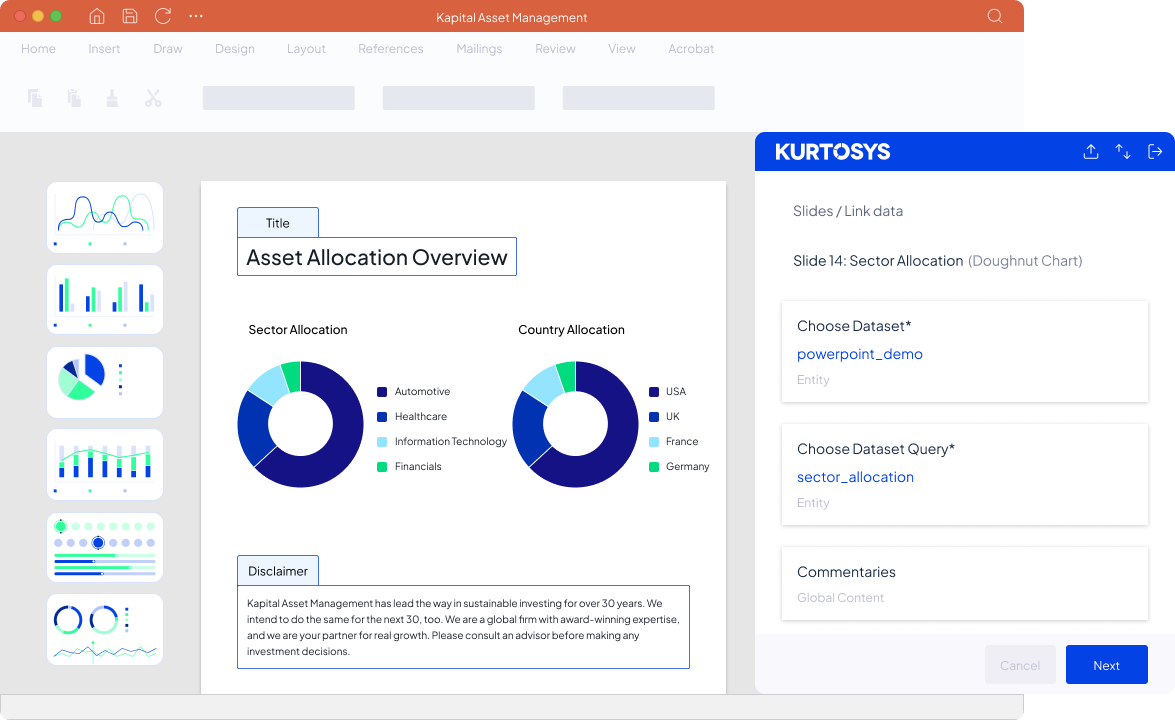
Link charts and tables directly to your live fund data sources.
03
Personalise and publish
Filter by fund strategy or currency, add your commentary, and export a formatted presentation.
Investor presentations for every occasion
01
Pitchbooks, tailored for institutional or retail pitches.
02
Fund snapshots, for up-to-date performance reviews.
03
Client review decks, for personalised portfolio updates.
Quarter-end factsheets can also run through the same connected data. If that’s your main use case, our fund factsheets page covers that workflow directly.
Investor presentation software compared
Investment marketing automation software built for investment managers also produces compliant, data-driven pitchbooks. Here's how other vendors compare with Studio for PowerPoint.

Native PowerPoint working environment
Same governed source as regulatory disclosures and investor portals
Compliance review built into the production workflow
A typical vendor

Runs as its own presentation management platform; PowerPoint is one of the supported output formats
Scoped to marketing content: factsheets, pitchbooks, commentaries and web
Yes, compliance review is part of the process
Kurtosys

Yes, your team works inside Microsoft PowerPoint itself, with no separate platform to learn
Yes, presentations draw on the same governed source that also produces CCI disclosures, portals and websites
Yes, with automated disclaimers, locked content areas and a full audit trail
FAQs
Kurtosys investor presentations is a Microsoft PowerPoint plugin that lets investment managers build pitchbooks, fund snapshots and client review decks directly from live fund data. Teams connect PowerPoint charts, tables and text to approved datasets in Kurtosys, so figures come straight from the data and nobody has to copy numbers from a spreadsheet into a slide.
Kurtosys investor presentations is part of the wider Kurtosys platform, which means every presentation draws on the same governed record that produces a manager’s factsheets, regulatory disclosures, investor portals and websites. Sales, marketing, compliance and data teams all work from that one record and the same approved templates, so a performance figure in a pitchbook matches the same figure on every other output Kurtosys publishes.
Yes. Kurtosys previously called this capability Studio for PowerPoint and now calls the capability investor presentations. The job is the same under both names: Kurtosys connects fund data to Microsoft PowerPoint so investment managers can build compliant presentations from live data.
Kurtosys also offers a separate Adobe InDesign integration, used mainly for high-volume documents such as fund factsheets. Kurtosys investor presentations is the PowerPoint option, designed for the decks that sales and distribution teams tailor for individual meetings, clients and audiences.
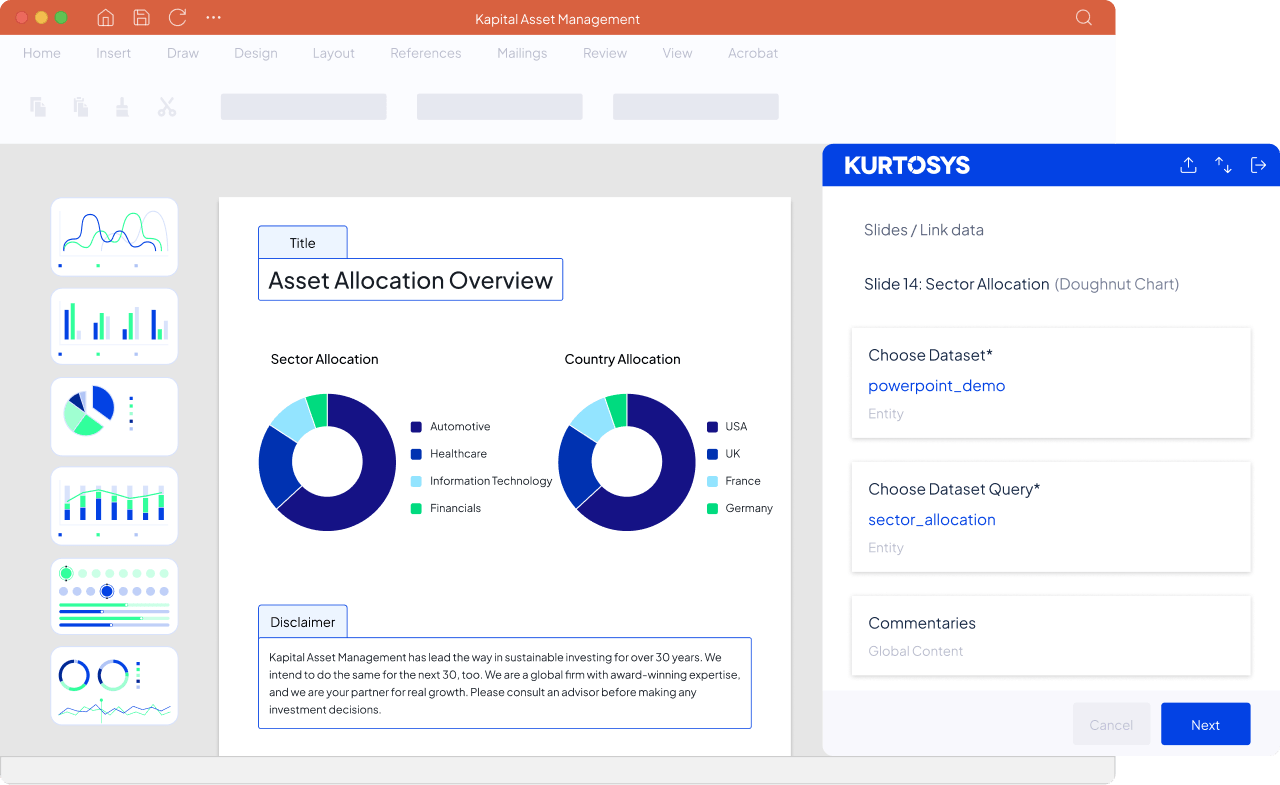
Kurtosys automates presentations in three steps inside Microsoft PowerPoint. A user selects a pre-approved, branded template from the central slide library, links charts, tables and text to live fund datasets in Kurtosys, then filters by fund, strategy or currency, adds commentary and exports a finished presentation.
Behind those steps, a Kurtosys power user sets up templates and data links once, and administrators manage global data templates that control how raw data is labelled and formatted, for example turning a raw fund launch date into a consistent date format. If a dataset arrives in the wrong shape for a chart, Kurtosys includes a pivot function to reshape the data before linking. Everyday users then start from presentations that are already connected, so their time goes into tailoring the content for the meeting.
Yes. Kurtosys investor presentations runs as a plugin inside Microsoft PowerPoint, with a Kurtosys panel alongside the normal slide view. Users sign in to Kurtosys from within PowerPoint, so sales and marketing teams build and refresh decks in the application they already use every day, with no separate presentation platform to learn.
Every chart and table Kurtosys inserts is a native, editable PowerPoint object, so users can restyle a chart or adjust a table with standard PowerPoint tools without breaking the link to the data. For teams tailoring a deck to a specific client, this means the finished presentation behaves like any other PowerPoint file while the figures stay tied to the governed record.
Yes. Kurtosys links PowerPoint charts, tables and individual data points, such as a fund name or launch date, directly to fund datasets. When new data lands, a refresh pulls the latest figures into every linked element in the presentation, so teams stop rebuilding pitchbooks from scratch each month or quarter and nobody re-keys numbers from Excel into slides.
Kurtosys applies the same logic to reusable content. Slides inserted from the central slide library as linked slides update automatically on refresh, while static slides can be edited freely for a one-off audience and keep their content unchanged. Teams decide which parts of a deck move with the data and which stay fixed.
Kurtosys builds compliance controls into the presentation itself. Disclaimers and disclosure text update automatically based on the data and market selected, locked content areas stop approved wording from being edited before a deck reaches a client, and role-based permissions control who can change templates, data links and library slides.
Kurtosys records every change in an audit trail, so compliance teams can see what went out and who changed what. Because the figures come from the governed record and approved wording sits in locked areas, compliance review can focus on the parts of a deck that have actually been tailored, which cuts down the line-by-line checking that manually built decks usually need.
Kurtosys investor presentations connects to fund data held in Snowflake or delivered through APIs, including datasets already managed in the Kurtosys platform. One of those connections needs to be in place before presentations can be linked to live data, and a data or technology team usually sets this up once.
After that first connection, sales and marketing teams work with approved datasets inside PowerPoint and don’t need to raise a data request for each new deck. Investment managers already using Kurtosys for factsheets, client reporting or investor portals can draw on the same datasets, so presentations start from data that is already governed for those other outputs.
Yes. Kurtosys templates can include inputs linked to pick lists, so a user selects a fund, entity, strategy or currency and the same template produces a presentation for that selection. One approved pitchbook design can serve a whole fund range, which removes the need to build and maintain a separate deck for every fund.
Kurtosys also supports localisation and market-specific disclaimers, so a presentation prepared for a different country picks up the right disclosure text for that market. Distribution teams covering several regions keep their presentations consistent and compliant without maintaining parallel versions by hand.
Kurtosys works natively inside Microsoft PowerPoint, with editable PowerPoint charts and tables linked directly to fund data. Many presentation management tools built for investment managers run as their own platform and treat PowerPoint as one of several export formats, while general sales enablement platforms focus on storing, distributing and tracking content and aren’t built around fund data.
Kurtosys investor presentations also sits on the same governed record that produces a manager’s factsheets, CCI disclosures, investor portals and websites, so a pitchbook doesn’t need a separate data feed or a separate reconciliation step. For investment managers, that means presentations, reporting and digital channels run on one platform, with the same figures used everywhere Kurtosys publishes them.
Marketing teams use Kurtosys to manage the central library of approved, brand-locked templates and slides. Sales and distribution teams use Kurtosys to refresh and tailor pitchbooks and client review decks before meetings, and compliance teams rely on Kurtosys for automated disclaimers, locked content areas and the audit trail.
Data and technology teams connect fund data to Kurtosys once, through Snowflake or APIs, and then stop fielding one-off requests for figures every time someone needs a deck. Client service teams use Kurtosys for client review presentations too, which keeps portfolio updates consistent with any Kurtosys reports or portal data those clients already receive.
Everyday users of Kurtosys investor presentations need to be comfortable in Microsoft PowerPoint, and little more. Kurtosys is designed for report builders and presentation creators without technical skills, with a guided wizard for linking a chart to the right dataset and standard PowerPoint tools for layout and styling.
The technical setup sits with a small number of people. A Kurtosys power user creates templates and data links, administrators manage global data templates and user roles, and a data or technology team puts the Snowflake or API connection in place. Once that groundwork is done, Kurtosys gives sales and marketing teams a self-serve way to produce presentations without waiting on specialists.